
Download Starryboard – storyboard app, animation tool, video production, anime prototype, rapid sketching, creative workflow, concept art
Overview
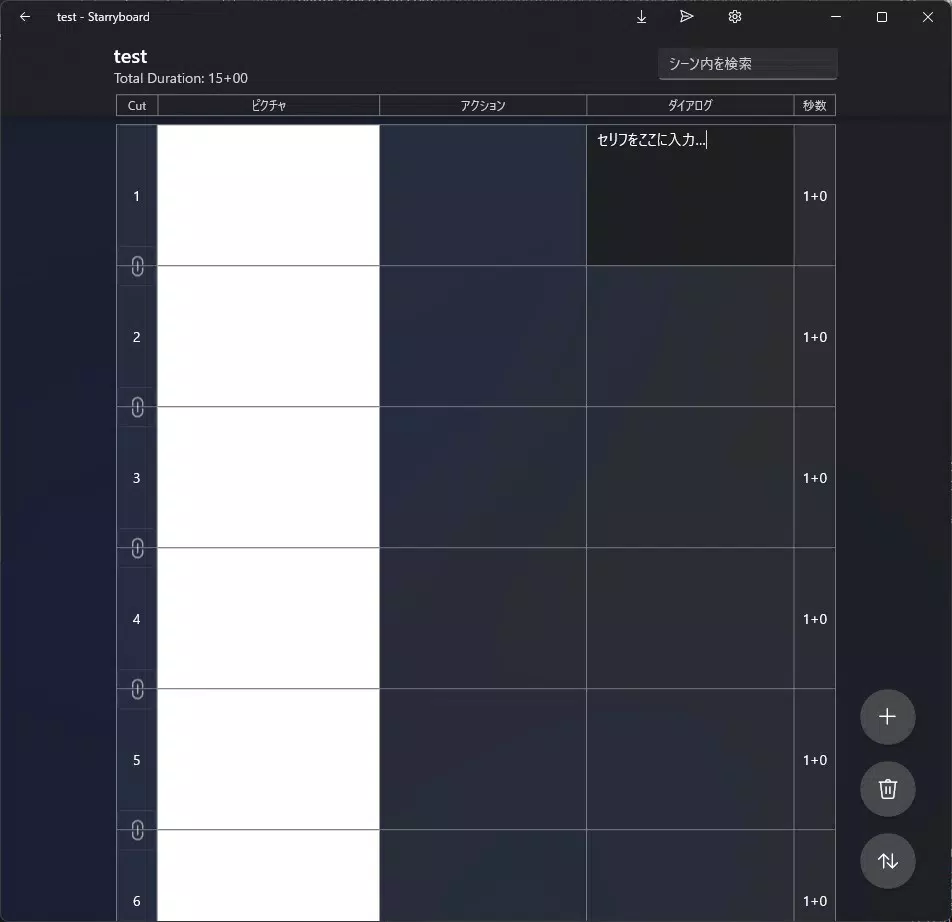
Starryboard is a specialized mobile application designed to accelerate the storyboard creation process within the animation and video production industries. Targeted at both professionals and creative enthusiasts, the app offers a streamlined platform for rapidly sketching and organizing visual narratives. Its core purpose lies in simplifying the initial stages of content development, where ideas are transformed into structured visual sequences. By enabling users to draft rough storyboards with minimal friction, Starryboard supports faster ideation, collaboration, and project planning.
The app is particularly effective in scenarios requiring quick concept art development, such as brainstorming sessions, pitch presentations, or early-stage anime prototyping. Its focus on efficiency and creative flow makes it a valuable tool for artists, animators, and production teams who need to visualize scenes before committing to detailed animation. Starryboard Inc., the developer, has positioned the app as a dedicated utility for creative workflows, emphasizing speed, organization, and export flexibility.
Within the broader mobile app ecosystem, Starryboard fills a niche by offering a mobile-first solution tailored specifically for visual storytelling. Unlike general drawing apps, it integrates features like role-based layer management and scene-specific export options, which are critical in professional animation pipelines. Although the developer did not provide additional technical details about backend architecture or cloud integration, the app’s functionality suggests a focus on local processing and on-device creativity.
Key Features & Functionality
- Efficient Layer Management: Starryboard implements a role-based layer system that separates visual components—such as characters, backgrounds, annotations, outlines, and fills—into distinct categories. This allows users to organize their work with precision, enabling easy editing and visibility control during the storyboard phase.
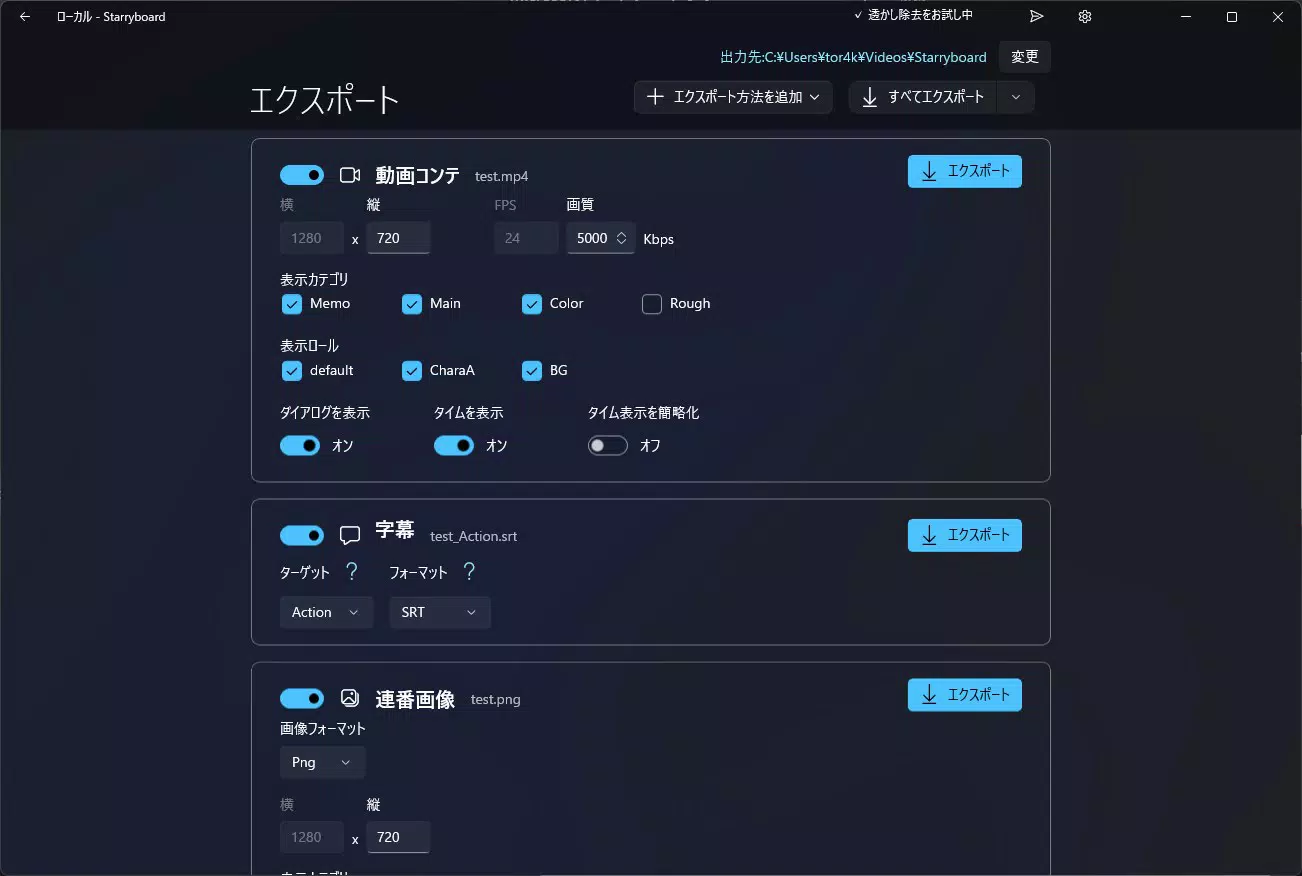
- Customizable Export Settings: Each scene can be exported in multiple formats, including video, sequential images, scripts, and subtitles. Users can selectively export specific layers, such as only the main line drawings or background elements, which supports downstream workflows in animation and editing software.
- Watermark Protection: All exports include a default watermark to safeguard user content. For professional use, an optional addon is available to remove the watermark, ensuring polished outputs without branding.
- Rapid Prototype Creation: Built for speed, Starryboard allows artists to sketch and refine ideas in real time. This is ideal for generating early concept art, testing scene transitions, or sharing visual narratives during team discussions.
- Targeted Creative Workflow: The app’s design reflects deep understanding of animation production needs. It supports iterative development, where scenes can be quickly adjusted and re-exported, reducing time spent on revisions and enhancing overall productivity.
For example, an animator preparing a pitch for a new anime series can use Starryboard to draft a 10-scene sequence, assign roles to characters and backgrounds, export a clean version of the main lines for review, and then generate a video preview with subtitles—all within a single session. This level of integration streamlines the creative pipeline and reduces dependency on multiple tools.
Interface, UX & Performance
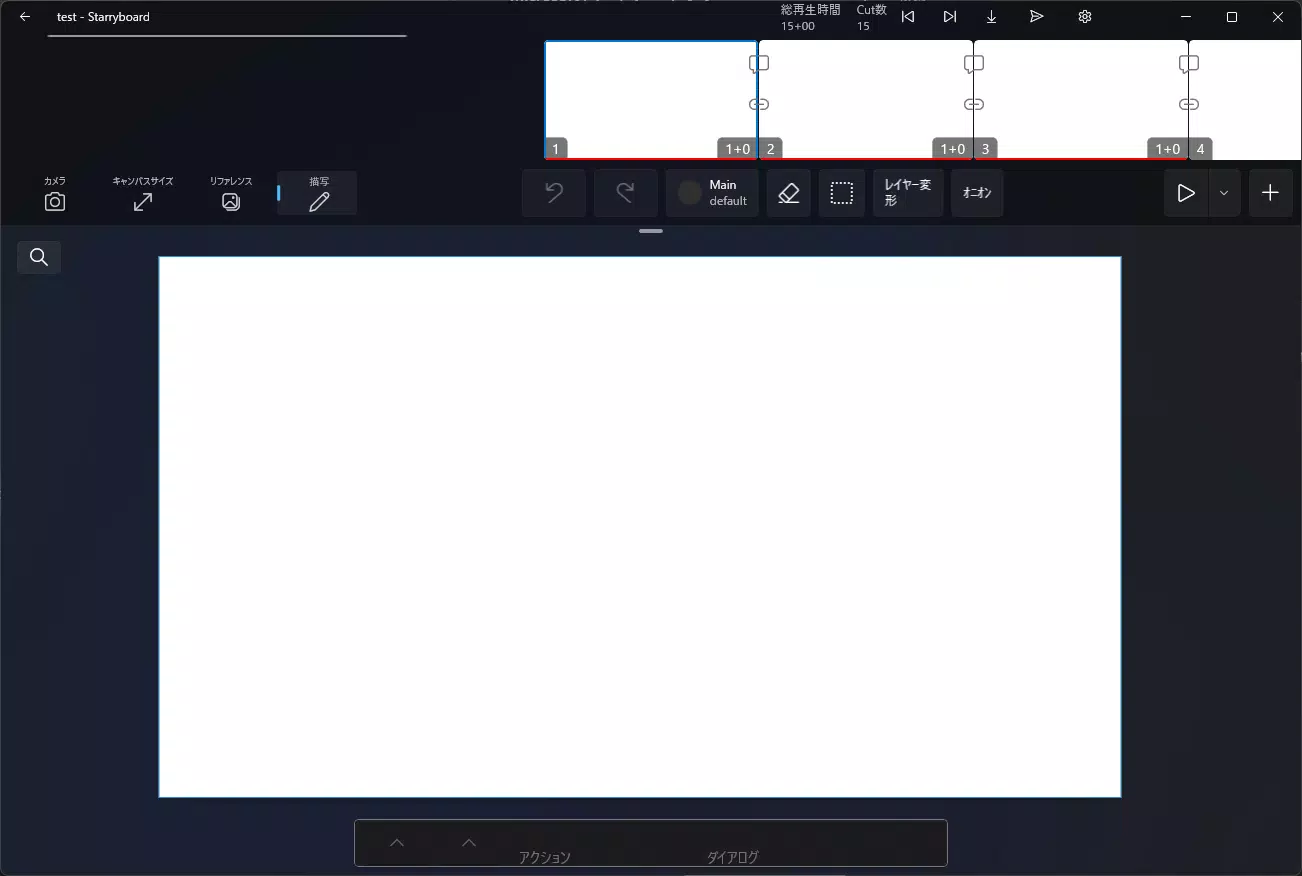
Starryboard features a clean, intuitive interface optimized for touch-based interaction on Android devices. The layout prioritizes accessibility, with tools and layers organized in a logical, hierarchical manner. Navigation is straightforward, allowing users to switch between scenes, manage layers, and access export options with minimal taps.
The visual style is minimalistic yet functional, emphasizing usability over decorative elements. Color-coded layer categories enhance readability, while the drawing canvas remains uncluttered to reduce cognitive load during creative work. The app responds promptly to touch input, ensuring smooth sketching and real-time layer adjustments.
Although the developer did not list formal performance metrics, the app’s responsiveness across various device categories suggests optimized rendering and efficient memory usage. Stability appears consistent during typical use cases, with no reported issues related to crashes or freezes. Users can expect reliable performance when handling multiple scenes or complex layer configurations.
Platform Compatibility & Technical Requirements
Starryboard is available exclusively on the Android platform. It requires Android OS version 6.0 or higher, though specific minimum requirements were not listed. The app has a file size of 128 MB, indicating a lightweight footprint suitable for most modern smartphones and tablets.
Compatibility information was not fully disclosed, so users should verify device specifications before installation. The app is designed to function efficiently on a range of Android devices, from entry-level to high-end models. No cloud synchronization or external hardware dependencies were mentioned, suggesting it operates primarily as a local-first tool.
Pros and Cons
- Specialized for animation and video production workflows
- Efficient layer management with role-based organization
- Flexible export options for various output formats
- Supports rapid sketching and prototype development
- Free to download and use with optional watermark removal
- Watermark included in all exports unless addon is purchased
- Platform limited to Android (no iOS availability mentioned)
- Specific OS version requirements not clearly stated
- No cloud backup or collaboration features disclosed
- Limited information on advanced editing tools
FAQ
Is Starryboard free to use?
Yes, Starryboard is available at no cost. However, a watermark is applied to all exports. A paid addon is available to remove the watermark for professional use.
Can I export storyboards as videos?
Yes, the app supports exporting scenes as videos, along with other formats such as sequential images, scripts, and subtitles.
Does Starryboard support iOS devices?
The developer did not specify iOS compatibility. The app is currently available on Android only.
What are the system requirements for Starryboard?
Specific requirements were not listed. The app has a file size of 128 MB and runs on Android devices, though the minimum OS version is not disclosed.
Can I use Starryboard for professional animation projects?
Yes, Starryboard is designed for both professionals and enthusiasts. With customizable export settings and rapid prototyping features, it supports early-stage animation development and concept art creation.
Final Thoughts
Starryboard stands out as a focused, efficient tool for creatives in the animation and video production space. Its combination of role-based layer management, customizable exports, and rapid sketching capabilities makes it a strong candidate for artists seeking to streamline their creative workflow. While it lacks cross-platform availability and some advanced collaboration features, its core functionality is well-executed and purpose-built.
For animators, concept artists, and production teams working on anime prototypes or video narratives, Starryboard offers a practical, accessible solution. Its free model with a clear upgrade path enhances its value proposition, making it a compelling choice for both hobbyists and professionals.
Download Starryboard now


